



Geofences: know when a vehicle arrived, left or stayed too long
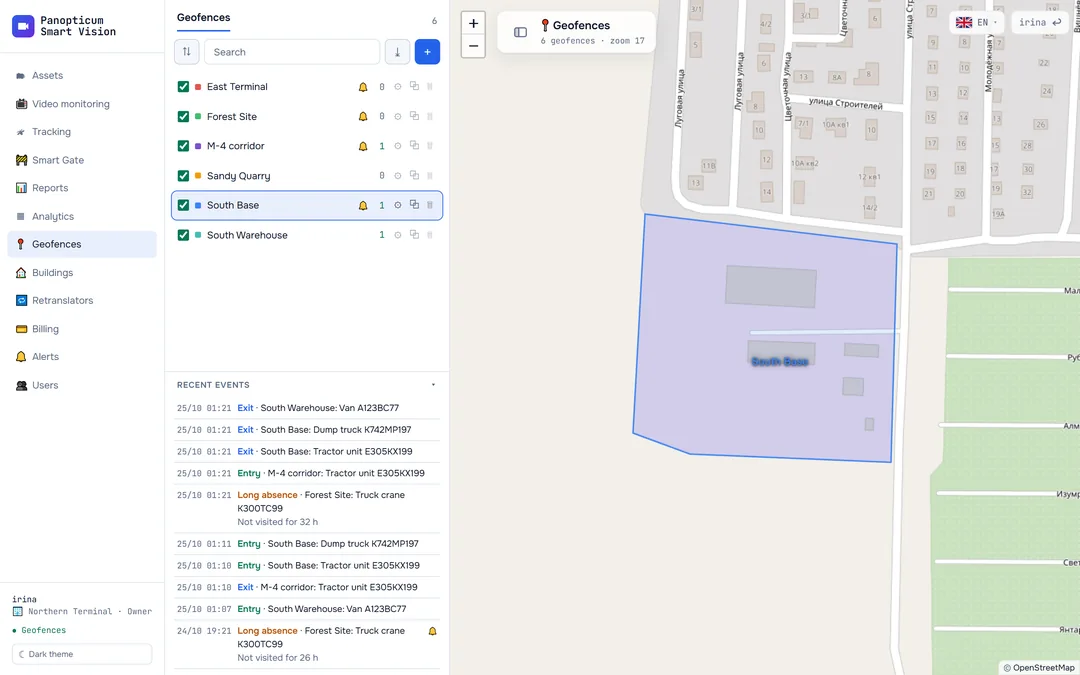
Draw a polygon, a corridor along a road or a circle. Panopticum reports entry, exit, speeding inside the zone, a long stay and a long absence.
Features
Three shapes
A polygon, a corridor line along a road and a circle.
Five events
Entry, exit, speeding, long stay, long absence.
50 m hysteresis
A vehicle on the boundary does not produce a dozen entries and exits.
Time from the track
An event is dated by the time of the point, not by when it was processed.
Telegram and email
Alerts go to the same place as camera failures.
Zone reports
Visits, trips between zones, missed zones.
One event instead of six
A parked vehicle’s coordinates jitter. If the boundary runs nearby, a naive check would count a dozen entries and exits. An entry counts at once, but an exit only when the vehicle is 50 metres beyond the boundary.
Frequently asked questions
Will I get a message about a vehicle that was already inside a new zone?
Works together with
Tracking
GPS and GLONASS on the map. Carvis DVRs with up to 4 video channels, Navtelecom FLEX, Wialon IPS.
Learn moreReports
13 tables and 7 charts: trips, parking, engine hours, violations, geofences. CSV export and printing to PDF.
Learn moreAlerts and roles
Telegram bot, email, quiet hours, debounce. Owner, Operator and Viewer roles.
Learn moreWe will show it on your equipment
Tell us about your task, and we will show Panopticum on your cameras and vehicles
Or start on your own: after sign-up you get 14 days of the “Business” plan free, no card needed.
- We reply during working hours, fastest on Telegram
- We will help you connect cameras and devices remotely
- Only you and your staff see your data
Request sent
We will reply during working hours. If it is urgent, message us on Telegram.