


One platform for video, vehicles and site access
Every section behind one login, with shared permissions and shared alerts. A camera belongs to an asset, a vehicle to its geofences, a passage to the checkpoint log.
Video
Video monitoring
A video wall of IP cameras in the browser with no plug-ins, PTZ control, and a check of every camera every 30 seconds.
Learn moreSLA analytics
Availability of each camera as a percentage: which ones went down, when and for how long.
Learn moreBuildings
Addresses and floor plans, with cameras placed right on the plan.
Learn moreTrunks
A box on site finds the cameras and sends the video out. No public IP and no port forwarding.
Learn moreTransport
Assets
A whole vehicle or site: map, live video, a timeline of moving and parking, all the equipment.
Learn moreTracking
GPS and GLONASS on the map. Carvis DVRs with up to 4 video channels, Navtelecom FLEX, Wialon IPS.
Learn moreGeofences
Polygon, corridor or circle. Entry, exit, speed, long stay and absence.
Learn moreRetranslators
Data forwarding to Rostransnadzor and regional systems over EGTS and Wialon IPS, with resending of past periods.
Learn moreWIM station
Weigh-in-motion gantries on the map and a log of passages under them for disputing fines.
Learn moreAxle load
Load on every axle in real time: overload, loading and unloading, linked to WIM gantries.
Learn moreAccess and team
Smart Gate
Number plate recognition at the barrier, allow and block lists. The checkpoint works even without the internet.
Learn moreReports
13 tables and 7 charts: trips, parking, engine hours, violations, geofences. CSV export and printing to PDF.
Learn moreAlerts and roles
Telegram bot, email, quiet hours, debounce. Owner, Operator and Viewer roles.
Learn moreProduct tour
Walk through the sections on real screens
The data in the screenshots is for demonstration: names, plates, addresses and camera footage have been replaced.

-
Vehicles and sites. A badge flags trouble at once: an alarm, a black box upload, silent for a long time.
-
The track for the chosen period and the asset’s current position.
-
The asset’s cameras or DVR channels. A pan-tilt camera has a PTZ control over the frame.
-
Moving, stops, parking and connection losses. Clicking the timeline moves the map to that moment.
-
Connectivity, speed, heading and on-board voltage.
-
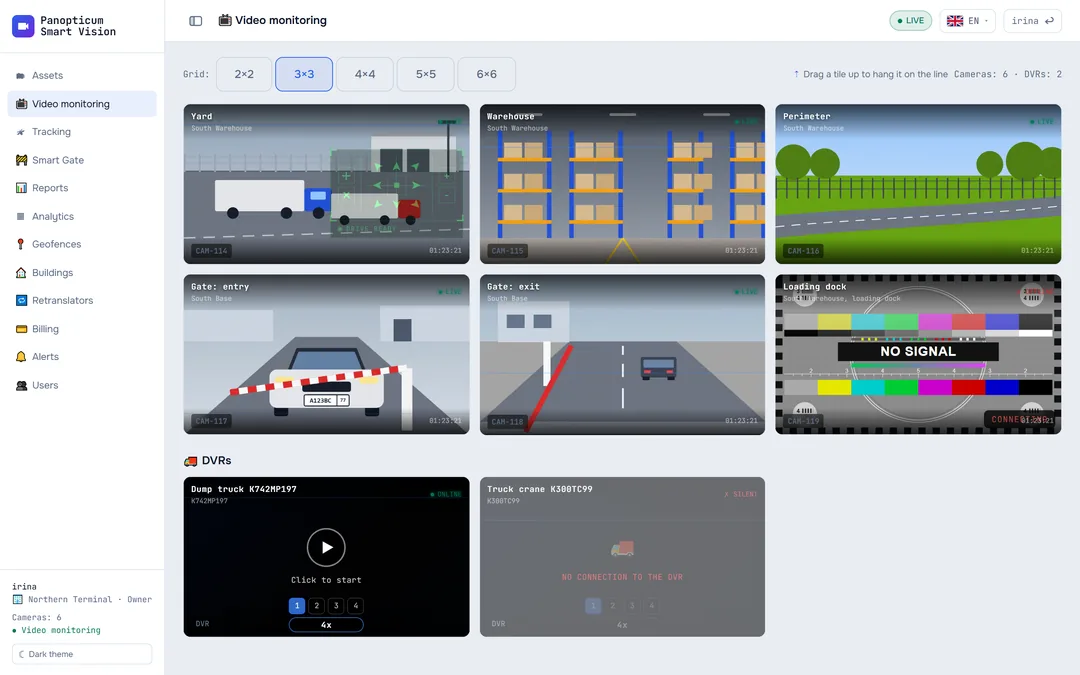
From one camera to dozens on screen. Any of them opens full screen.
-
Video plays in the browser with no plug-ins, including from cameras behind 4G.
-
A camera that is down is obvious at once: a test card instead of a black square.
-
Every camera has a status mark, online or not, from a check every 30 seconds.
-
Vehicle video starts with a button, so mobile data is not wasted.
-
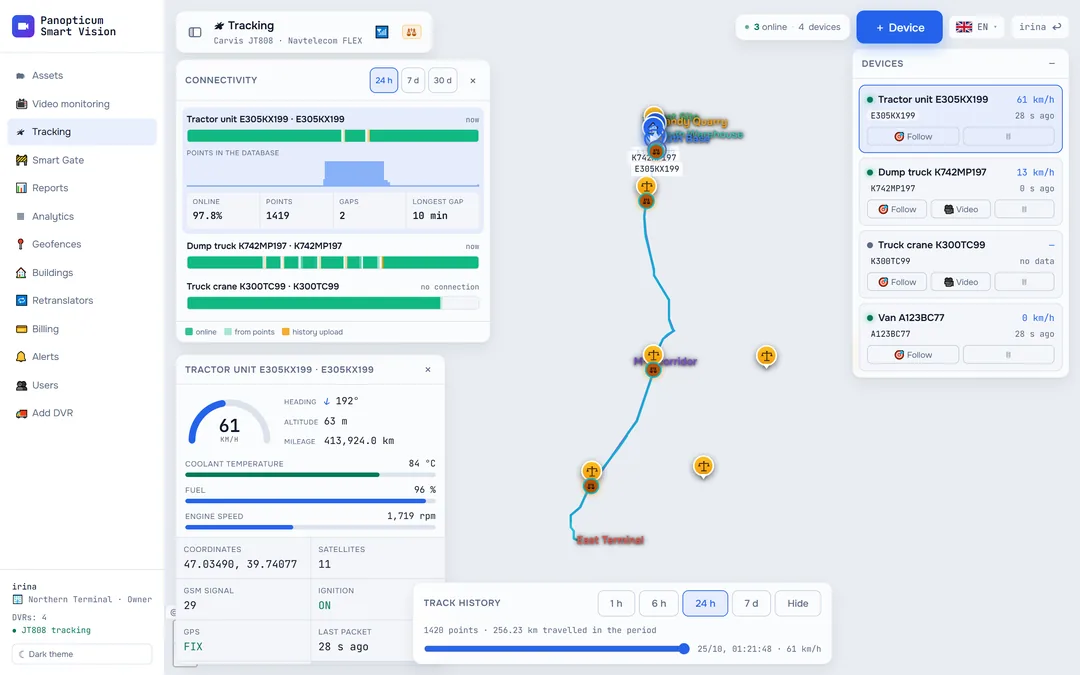
Carvis, Navtelecom and Wialon IPS in one list, with a connectivity mark.
-
Positions refresh every 2 seconds.
-
When the device was online and when it was uploading history from its black box.
-
The “Follow” button keeps the selected vehicle in the centre of the map.
-
WIM gantries turn on over the same map, next to geofences and buildings.
-
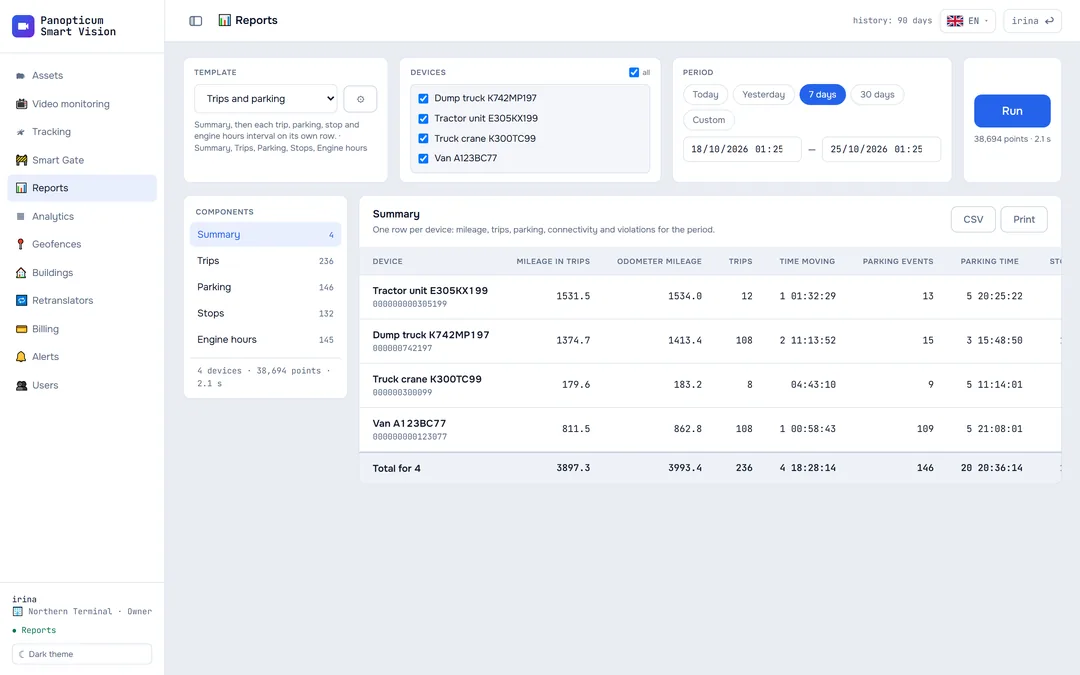
Built-in or your own: tables, columns, thresholds and totals.
-
One device or the whole fleet, from an hour to a month.
-
Tables and charts in a list, the first one expanded.
-
Totals per vehicle and overall, grouping by day.
-
CSV for Excel and printing to PDF straight from the browser.
-
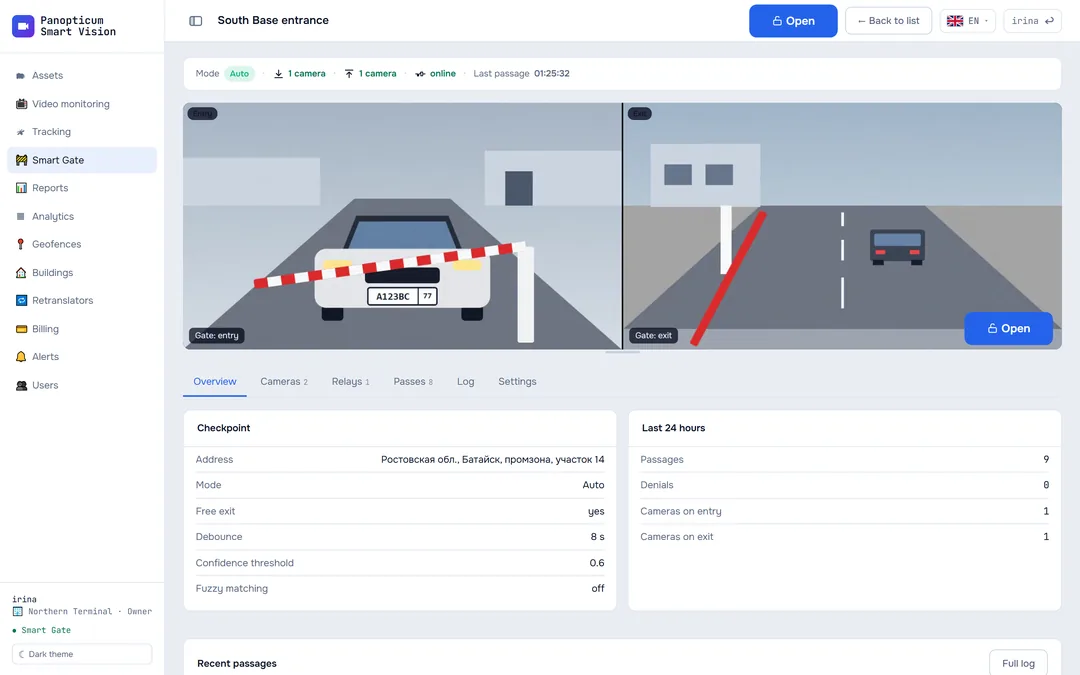
Live video from the checkpoint right in the card.
-
Off, Observe or Auto, on a schedule.
-
Let a vehicle through manually with one button. The log records who pressed it.
-
Every passage with a frame, a plate crop and the decision.
-
This checkpoint’s allow and block lists.
-
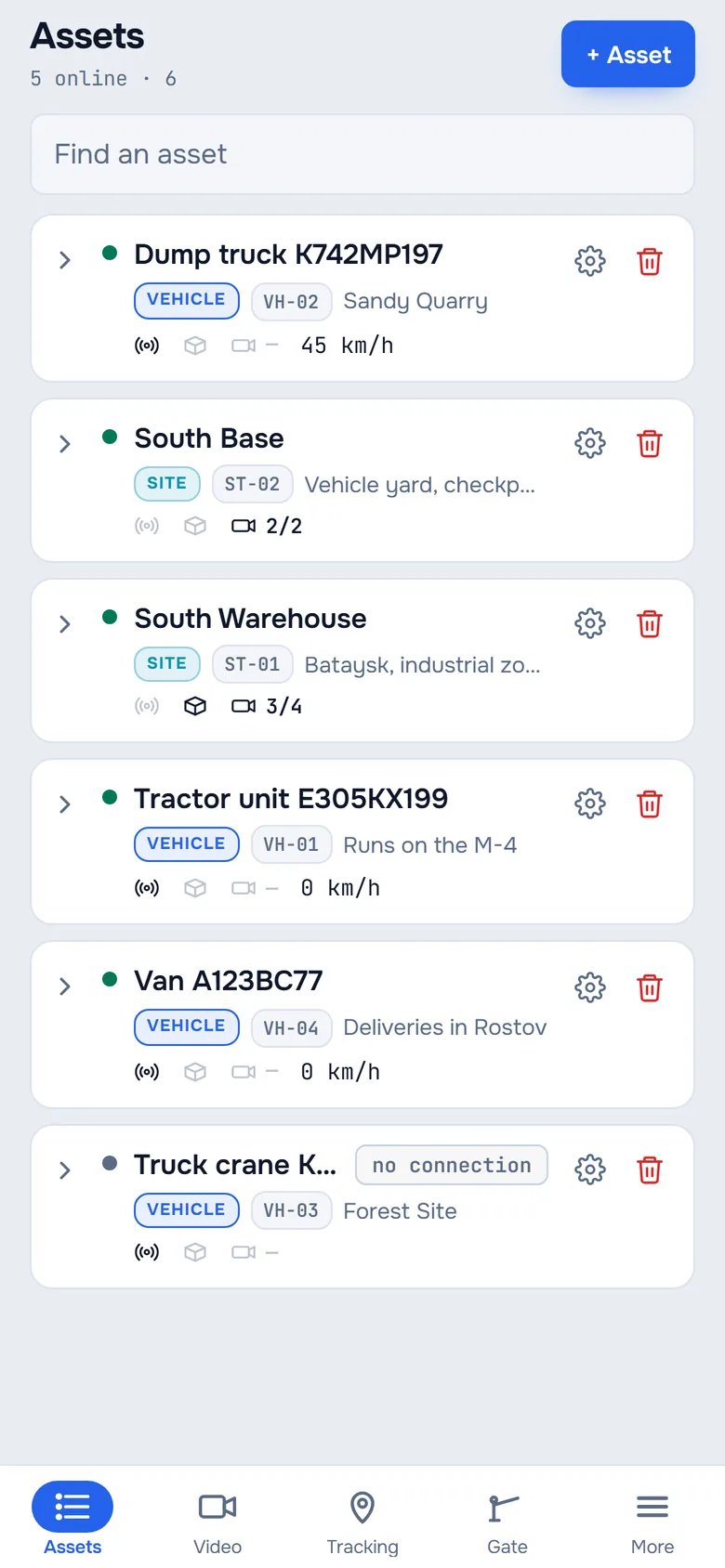
The Mini App opens from a button in the bot, with nothing to install.
-
The same list as in the web app, with search.
-
Device, trunk and cameras: an icon lights up when the hardware is linked.
-
The gear opens the asset settings.
-
The bottom menu mirrors the web app menu.
We will show it on your equipment
Tell us about your task, and we will show Panopticum on your cameras and vehicles
Or start on your own: after sign-up you get 14 days of the “Business” plan free, no card needed.
- We reply during working hours, fastest on Telegram
- We will help you connect cameras and devices remotely
- Only you and your staff see your data
Request sent
We will reply during working hours. If it is urgent, message us on Telegram.